

In digital marketing, the bottleneck is rarely the idea—it’s the assets. You know exactly what ad you want to run: “a futuristic sneaker glowing in a neon city.” But getting that image usually involves booking a photographer, waiting for edits, or searching endlessly through stock libraries.
This delay kills momentum.
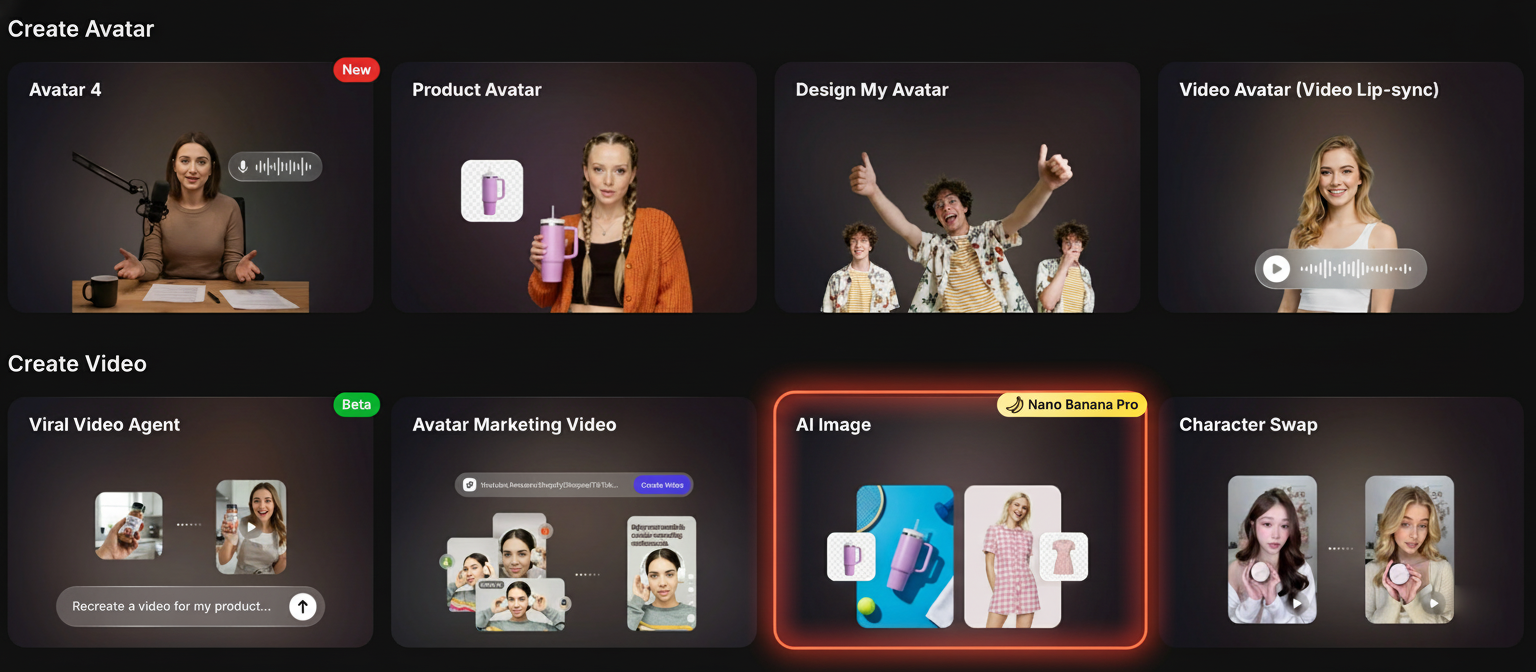
However, the integration of Nano Banana Pro (Banana 2) into the creative suite has changed the equation. This guide breaks down exactly how modern marketers use this AI model to generate studio-quality assets in seconds and instantly convert them into video formats.
The 3-Step Visual Engine
The power of this workflow lies in its simplicity. It replaces complex design software with a streamlined “Input-Process-Output” loop.
- Prompt Engineering: Instead of briefing a designer, you brief the AI. Describe the product, lighting, and mood.
- High-Fidelity Generation: Nano Banana Pro interprets the physics of materials (glass, metal, fabric) to render realistic textures.
- Asset Animation: The static image is immediately sent to an animation engine for video ad creation.
Detailed Walkthrough
Step 1: Concept Initialization
Start by navigating to the AI Image Generator tool. This is your command center.
Step 2: Choose Your Path
You have two strategic options based on your available assets:
- Path A: Creation (Text-to-Image)
Ideal for testing new concepts. Use the “Prompt Enhance” feature to expand a simple idea like “luxury watch” into a detailed scene description. - Path B: Iteration (Image-to-Image)
Upload an existing product photo and use AI to change the environment. For example, move a studio shot of a shoe to a rugged mountain trail.
Step 3: Refinement & Animation
Once Nano Banana Pro generates the images, the real magic happens. In traditional workflows, you would download the image and move to Adobe Premiere.
Here, you simply click “Image to Video”.
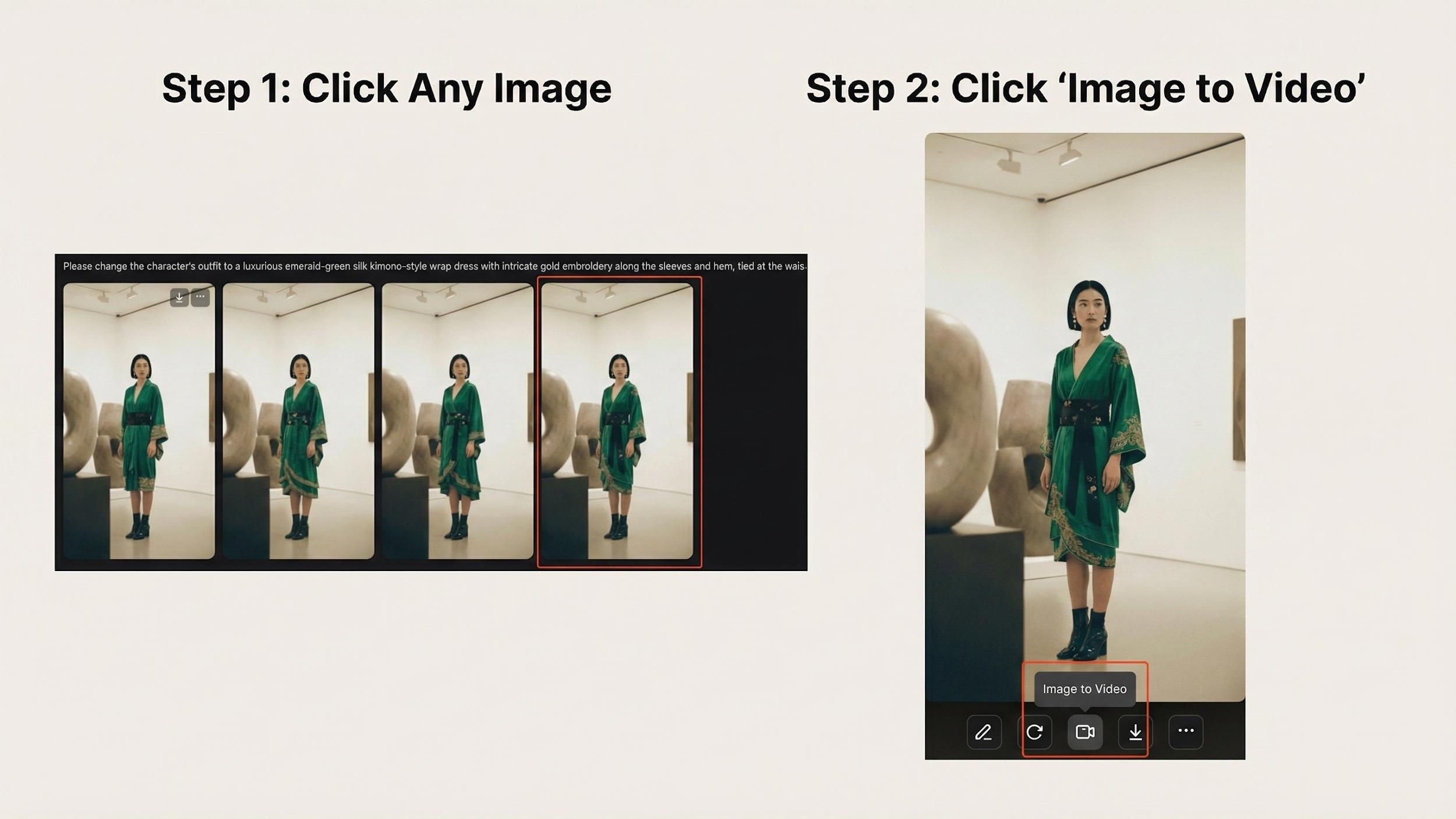
Pro Insight: This seamless transition is what allows solo marketers to produce daily video content at scale.
Case Study: The “Green Kimono” Campaign
To demonstrate the fidelity of Nano Banana Pro, let’s look at a real transformation workflow.
A. Initial Generation
We started with a prompt for a “modern gallery setting.”

B. Text-Guided Editing
Using the prompt: “Change outfit to emerald-green silk kimono… add gold earrings,” the AI edited the specific pixels while maintaining the pose and lighting.
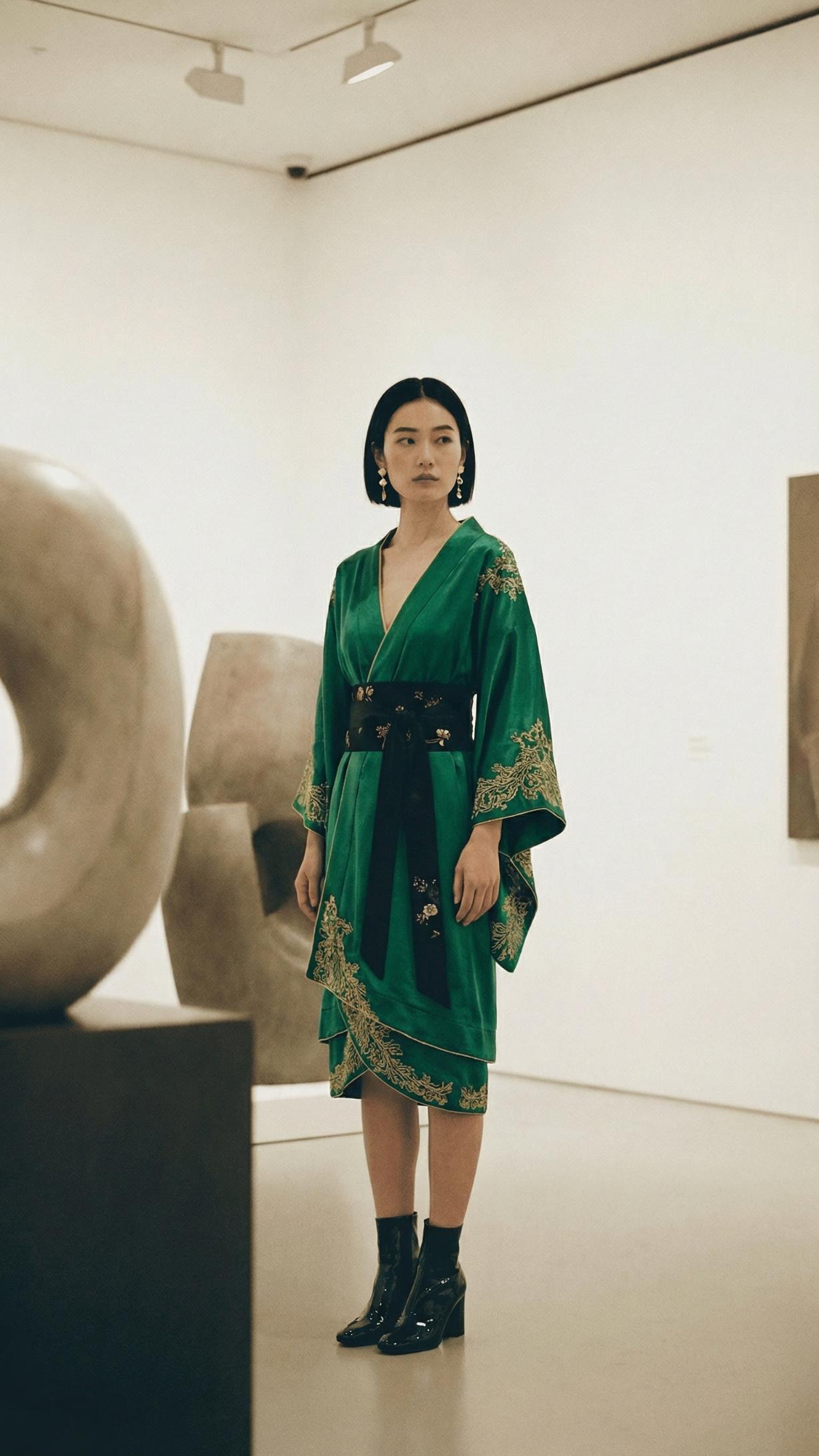
C. Final Video Output
The final asset was animated using Topview’s Video Agent, adding motion and depth.
(Note: The video result shows the character turning slightly with realistic hair movement.)
Why This Matters for Your Strategy
The ability to iterate quickly—testing a green dress vs. a red dress, or a studio background vs. a street scene—is the biggest advantage in paid social advertising.
By integrating Nano Banana Pro directly into your video production pipeline, you aren’t just saving money on photography; you are unlocking the ability to A/B test your creative strategy at a speed that traditional methods cannot match.
